

God Mode AI
The highest-quality AI sprite & animation generator for games.
- Highest animation quality — smooth, consistent, and artifact-free
- Built for games — optimized seamless looping and game-ready sprite sheets
- Rich action library — combat, movement, and special moves
- Every camera view — side-scrolling, isometric (8 directions), and top-down
- Advanced VFX — cloth flutter, blade trails, and fire & smoke effects
Production-ready output with commercial licensing — plus tools for pixel art, 2D spine animation, 3D, UI, and VFX.
60K+
developers
284K+
generations created
Commercial
licensing included
“This is the only AI animation tool really working properly!”
— inhoi
“Great product. I really like what you put together here.”
— Jonathan Bannet
Create in 3 Simple Steps

Upload
Add your character
Animate
Pick an action
Export
Use in your game
AI Game Development Tools
Specialized tools for every stage of game asset creation. Each product page includes demos, tutorials, and export options.
Community Generations
Every animation below was created by a developer using God Mode AI — not stock demos. Quality is our differentiator.
Loading community generations...
STATS
Our numbers speak for themselves
Game Making in God Mode
Professional game assets without complex pipelines, art degrees, or weeks of manual work.
No Art Skills Required
Upload a character design and get production-ready animations in minutes.
Built for Game Dev Workflows
Export formats that work in Unity, Godot, Spine, and standard sprite pipelines.
Commercial Licensing Included
Use generated assets in shipped games and commercial projects.
AI Spine Animation GeneratorAuto-rig a 2D character from one image

Upload one character image and get 2D skeletal animation — the AI cuts your artwork into layers, rigs the bones for you, and animates it. Download a walk or attack as transparent WebM or GIF, or take the whole rig away as a Spine file in any version from 3.5 to 4.2.
- AI layer splitting — one image becomes head, arms, legs and torso, then anatomically named pieces
- Automatic 2D rigging — the AI infers how every piece connects, so you place no bones by hand
- One rig, unlimited animations — walk, idle, attack and more, each rendered in seconds
- Spine export from 3.5 to 4.2 — skeleton.json, atlas and packed PNG, or transparent WebM and GIF
- Your artwork stays pixel-perfect — skeletal motion, not AI-repainted frames
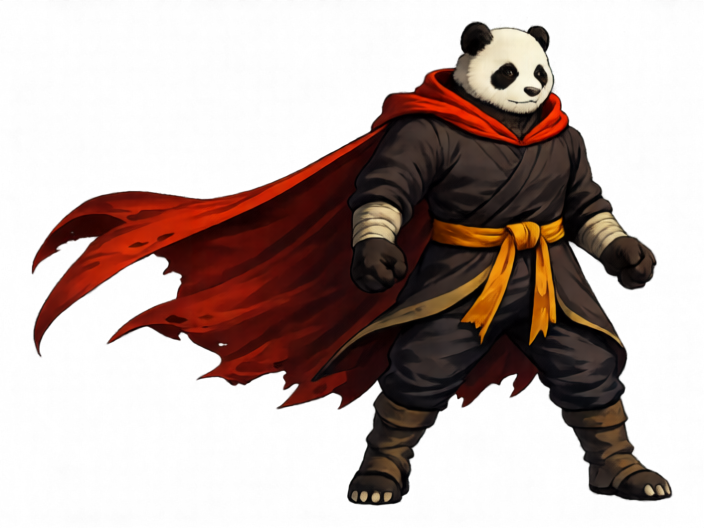





- 1Upload art
- 2Split layers, infer occlusions
- 3Auto-rig skeleton
- 4Pick animation
Rig once — render unlimited animations in seconds
Frequently Asked Questions
Quick answers about God Mode AI and how to get started.
What is God Mode AI?+
God Mode AI is a platform of AI-powered tools for game developers. Create sprites, animations, UI, and VFX without a full art team — then export production-ready assets with commercial licensing included.
Can I use generated assets in commercial games?+
Yes. Assets you generate can be used in shipped commercial games and client work. Commercial licensing is included with your subscription.
How much does it cost?+
The monthly subscription is $29/month for up to 200 public generations. You can also buy credits as you go ($32 for 30 credits, or $100 for 125 credits). New accounts get 3 credits. All purchases are final.
Where should I start?+
Most developers start with the AI Sprite Generator: upload a character image, pick an action, and download sprite sheets or MP4 animations ready for Unity, Godot, or Spine.
How do community generations work?+
Developers can share animations they create with God Mode AI. The homepage highlights top-rated community work so you can see real output before generating your own.
Ready to create?
Join thousands of developers using God Mode AI to ship games faster.